JSON in Python: Understanding json.load() vs json.loads()
A simple guide explaining the difference between json.load() and json.loads() in Python, with practical examples and easy-to-remember tips for parsing JSON data from files and strings.
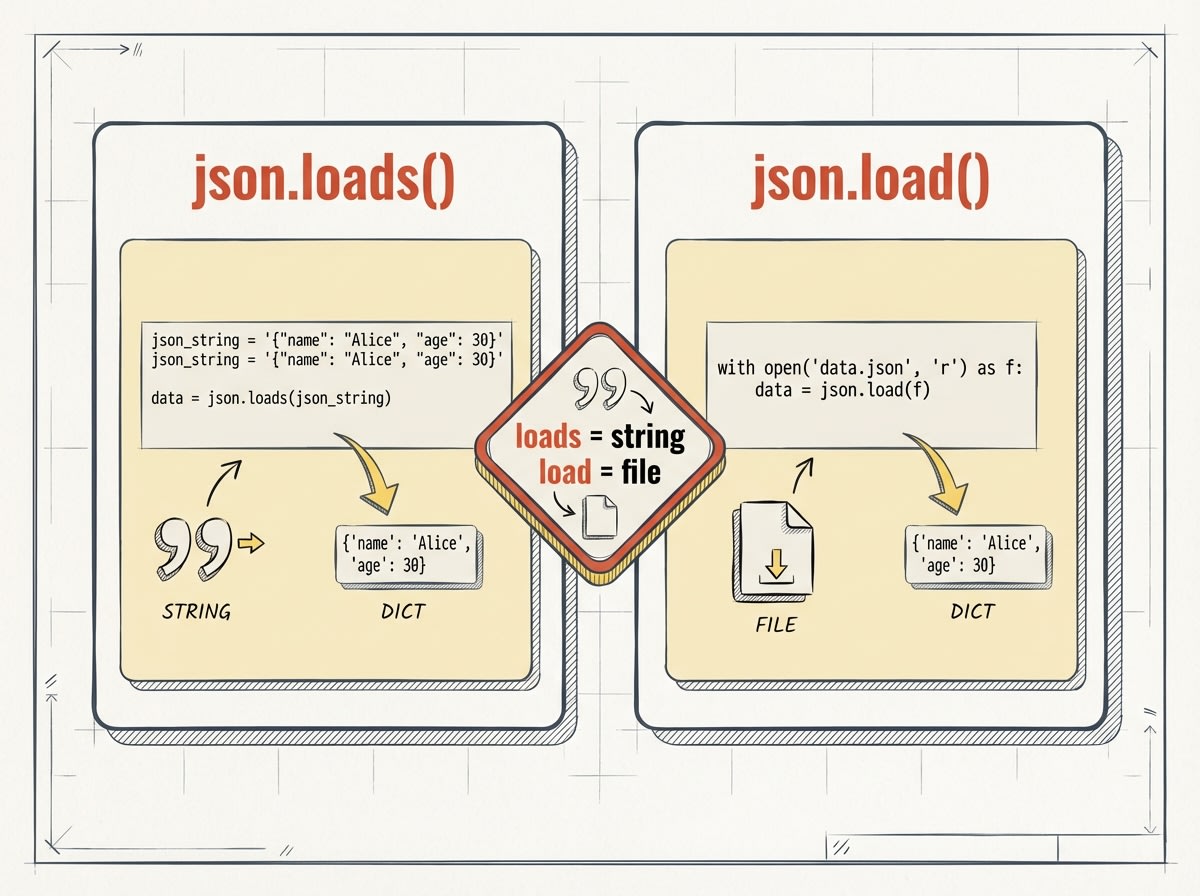
If you've ever worked with JSON data in Python, you've probably encountered two similar-looking functions: json.load() and json.loads(). At first glance, they seem almost identical—just one letter apart! But that single 's' makes all the difference. Let's break down what each function does and when to use them.
What is JSON?
Before diving into the functions, let's quickly recap what JSON is. JSON (JavaScript Object Notation) is a lightweight data format that's easy for humans to read and write, and easy for machines to parse. It's commonly used for transmitting data between a server and a web application.
In Python, we use the built-in json module to work with JSON data.
json.loads() - Parse a JSON String
The json.loads() function is used when you have JSON data as a string. The 's' stands for "string". This function takes a JSON-formatted string and converts it into a Python dictionary (or list, depending on the JSON structure).
Example of json.loads():
import json # JSON data as a string json_string = '{"name": "Alice", "age": 30, "city": "New York"}' # Parse the JSON string data = json.loads(json_string) print(data) print(type(data)) print(data["name"]) # Output: # {'name': 'Alice', 'age': 30, 'city': 'New York'} # <class 'dict'> # AliceKey Point: Use json.loads() when your JSON data is already in memory as a string variable.
json.load() - Parse a JSON File
The json.load() function (without the 's') is used when you want to read JSON data directly from a file. It takes a file object as an argument and returns the parsed data as a Python dictionary or list.
Example of json.load():
First, let's assume we have a file called data.json with the following content:
{ "name": "Bob", "age": 25, "city": "Los Angeles" }Now, let's read this file using json.load():
import json # Open and read the JSON file with open('data.json', 'r') as file: data = json.load(file) print(data) print(type(data)) print(data["name"]) # Output: # {'name': 'Bob', 'age': 25, 'city': 'Los Angeles'} # <class 'dict'> # BobKey Point: Use json.load() when reading JSON data from a file object.
Quick Comparison Table
Input TypeJSON stringFile objectUse CaseParse JSON from a string variableRead JSON directly from a fileExamplejson.loads(json_string)json.load(file)Easy Way to Remember
- json.loads() → The 's' stands for string. Use it when you have a JSON string.
- json.load() → No 's' means it works with a file (or file-like object).
Practical Example: API Response
Here's a real-world scenario where you might use json.loads(). When you fetch data from an API, the response is often a string:
import json import requests # Fetch data from an API response = requests.get('https://api.example.com/data') # The response.text is a JSON string json_data = response.text # Parse it using json.loads() data = json.loads(json_data) print(data)Pro Tip: Most HTTP libraries like requests have a built-in .json() method that does this automatically!
Conclusion
Understanding the difference between json.load() and json.loads() is simple once you remember:
📄 json.load() = File
📝 json.loads() = String
Both functions are essential tools in your Python toolkit for working with JSON data. Whether you're reading configuration files, processing API responses, or handling data storage, knowing when to use each function will make your code cleaner and more efficient.
Happy coding! Now you're equipped to handle JSON data like a pro. Remember, practice makes perfect—try writing some code examples of your own to solidify these concepts.